

How do you request new Cards in Guru?

  • October 14, 2021
  • 3 replies
  • 365 views

Matt Garren
Guru Employee

Hey everyone!
Some teams like to restrict Author-level access to SMEs only, but are then faced with a challenge of closing knowledge gaps for end-users.  Frequently these teams have a system for end-users to request new knowledge.  I’d love to learn about some of the ways your team is approaching knowledge requests.
How does your team request new Cards be created?


Here are a couple ways I’ve seen:

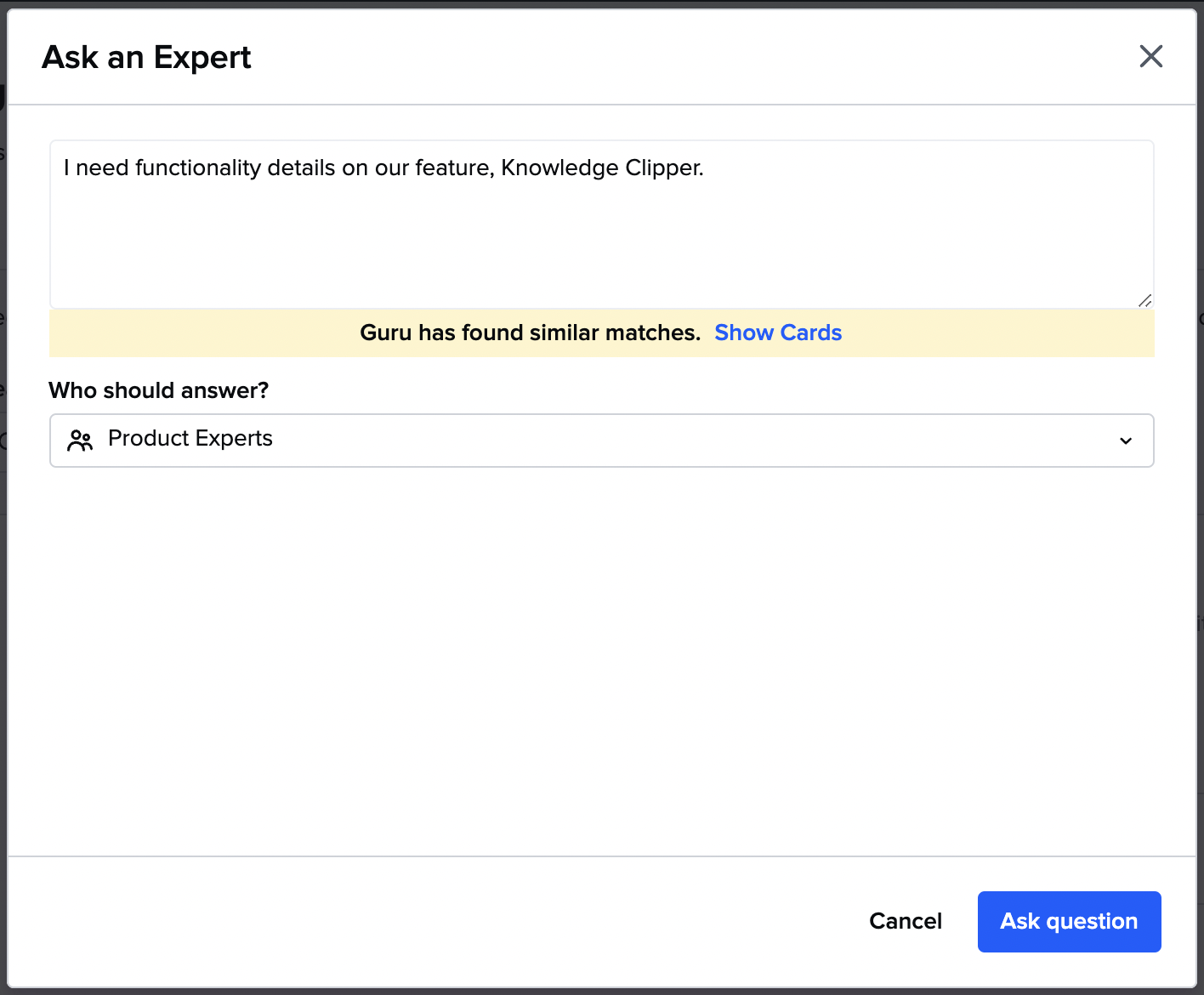
  1. Use Ask an Expert with specific Expert Groups assigned for specific content areasM01UeAs8hw0Dr4o-uNA07RHllmaj5byky8FLh5Wbw5ykwh4oTk28bxa9ceCnM2K-4O40pkR14-jPLnSdJy01T-Y42trxIM4622jis5slS6RmFmKNpowp-Fgf5z-8qUKBFf1EIlnl=s0

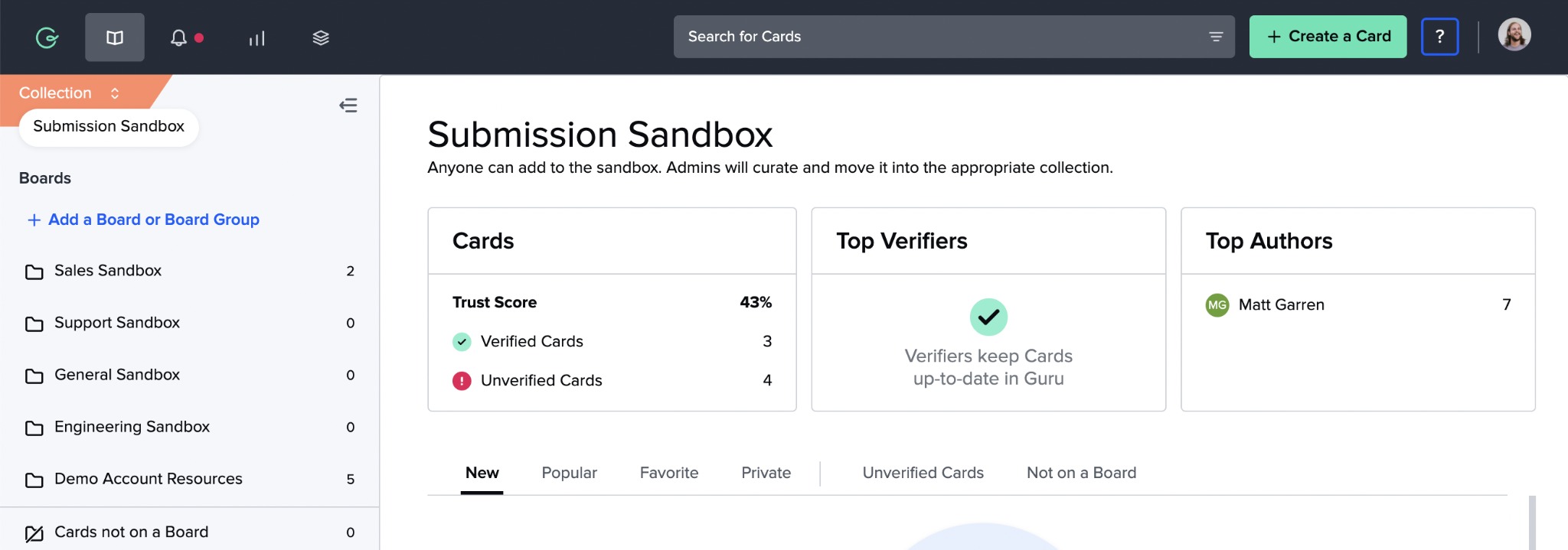
  2. Create a “Drafts/Sandbox/Knowledge Requests” Collection that grants broad Author access to the team.  Populate the Collection with Board Groups and Boards broken down by department and/or content areas.  Educate the team on how to submit (could create Cards in Guru and/or create Cards from Slack/MS Teams to help better capture informal knowledge sharing). Establish a review cadence with SMEs to review submitted content before using Card Manager to transfer approved and finalized Cards into the appropriate Collection.F2jr--PAxyB77JjfGBf4fvahtnMEZPmkcoLcEpW3PFGcb0eSScgp1O4LLDsp9BrfMVejp9PTo0wHNTQ1dYmEDJV4ZmMfWq9QO50NKDMNjLewoyynAUW6BT4V62n3DIY2BF8TEUJH=s0

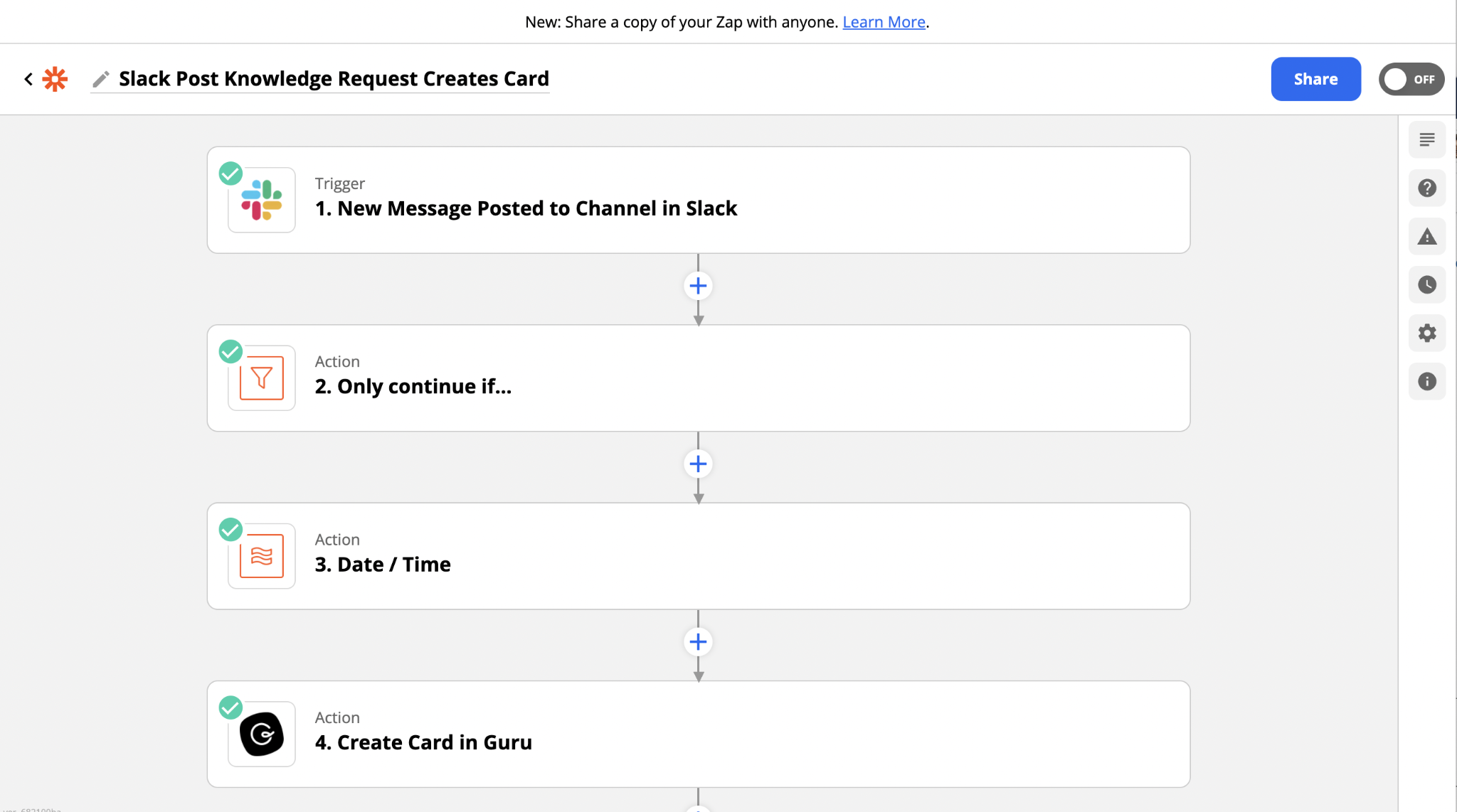
  3. Create a requests channel in Slack/MS Teams and use the Guru integration to create Cards or use Zapier/Workato integrations to automatically create Cards or push requests into a work management system like Monday.com or Asana.LsRxdFa3j2koRxObmIk0kBV61AkaWR-jlsEq6osQjTrxIk0TWPSWLJuJ3V_C5E3MlW3cXiIOfa5pS4LXS10mRGtv6G6usmG8jUbhJokNaiewfmOXBA1JSzRCVaH4b6Yg6ZkIqnt2=s0


There are LOTS of different ways your team can go about requesting knowledge in Guru.  I’ve found that having a well-documented process really helps, and here are some best practices:


  1. Instruct end-users on the correct process and document it in a Card.

  2. Educate SMEs on the process, their responsibilities, and establish a review cadence.

  3. Evaluate your process after a few weeks - where can it be improved? what are the challenges?

  4. Compare requests against ‘Searches Producing No Results’ in Guru’s Analytics to better understand the gulf between what users are actually searching for and what they’re taking the time to formally request.


Excited to hear about your knowledge request stories! What’s worked? What hasn’t? What are you looking to try?

I know @Alyssa Huat at Thras.io has come up with a cool knowledge request flow, would love to hear any insights you’re comfortable sharing! @tburbank would love to hear more about your team’s approach to building a request/review process!

3 replies

Alyssa Huat
  • Smart Cookie
  • October 19, 2021

Hey, all! @Helaine Bach actually developed a workflow between Google Forms and Monday.com to track all incoming knowledge requests. The members of our Guru Gang (Knowledge Council) are responsible to go into the Monday board and claim any request that is theirs. We keep it very decentralized, so that the discretion is up to teams!


@Matt Garren we’d love to keep the request process in Guru so it’s a one stop shop, anything in the pipeline that would support this? Focused on new article requests.

Thanks


Matt Garren
Guru Employee
  • Author
  • Guru Employee
  • February 23, 2026

Hey ​@catherine dimech!

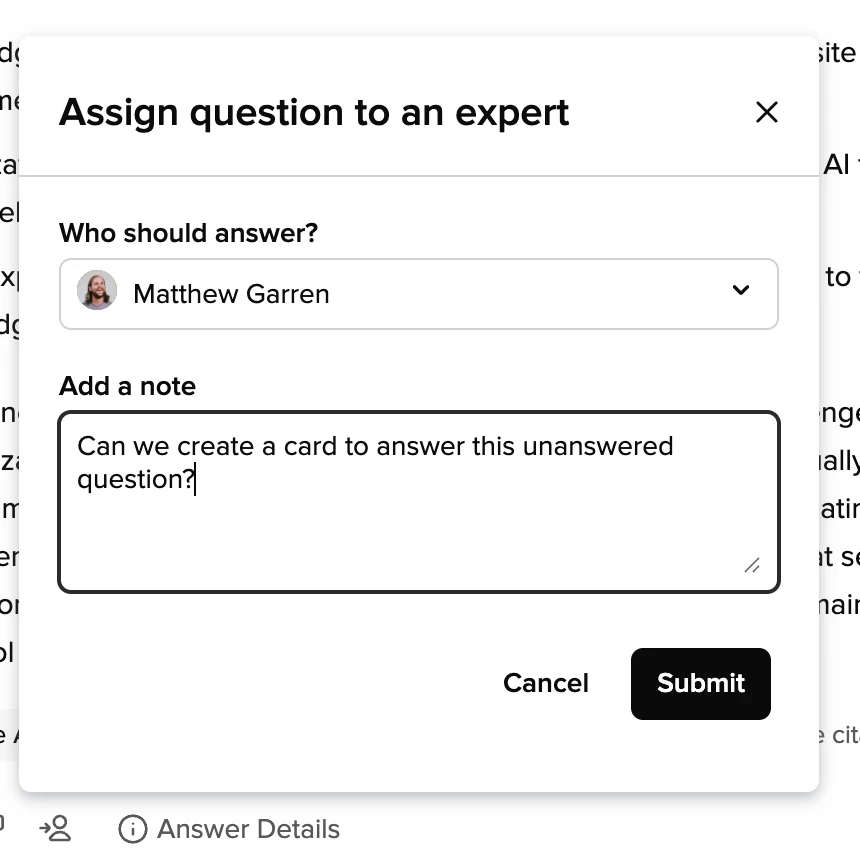
To keep requests in Guru, I recommend using the newer version of Ask an Expert, that is called “Assign Expert” and is visible to users when they get a suggested answer back from a Knowledge Agent. Users can use this feature to flag an answer or unanswered question to a user or group of users (these users must have at least the Expert role assigned to them at the Knowledge Agent level).

The Experts can then review the request in the AI Agent Center and from there they can use the ‘Edit Answer’ functionality attach other sources or create new cards to produce a better answer to the user’s original question (which will automatically notify the asker of a new answer!) More info here!